Technology Bites

  • Home
  • Tech
    • Software
    • Browsers
    • Google
    • Internet
    • Windows
  • Mobile
    • Android
    • Apple
    • Windows Phone
  • Products
    • Phones
    • Tablets
  • TIP US
You are here: Home / Google / Gmail Labels gets colors and AIM chat in Gmail

Gmail Labels gets colors and AIM chat in Gmail

Recently Gmail is on a roll with new features, IMAP, Groupchat, Emoticons. Today Google announced two new features to Gmail, Gmail Labels get colors and AIM chat in Gmail.

Now Gmail users can assign colors to their labels. This feature will make it easy to recognize the labels by their color code. To use this feature click the small box beside your labels in gmail, color swatches box will appear, select the color you want to use for a specific label.
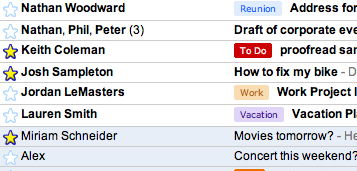
gmail labels
[Image credit: Gmail Blog]

Now you can chat with your AIM buddies right inside gmail like you chat with Gmail users. To use this feature click on options link in chat module of Gmail and select sign in to AIM, AIM login will popup. Once you login all your AIM friends will be populated to your friends list and you can start chatting with them.
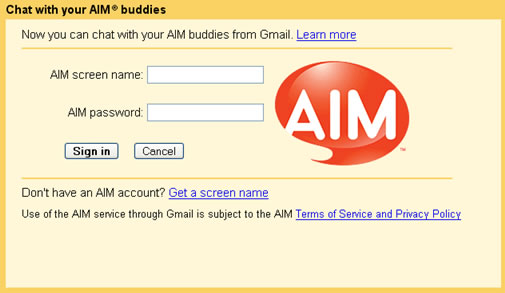
AIM chat in gmail

Share this:

  • Tweet

Related

About Ram

I am a blogger and Technology Enthusiast. I write about software, tech news, gadgets. You can reach me at ram@teknobites.com, follow me on Google+ or on Twitter

« Email This Firefox Extension
Technorati realunched today »

Top Posts

  • Temple Run 2 for Windows Phone is now available
  • Download 10000 Free Shapes for Photoshop
  • ChainFire3D - Manipulate Graphic Drivers and Play HD Games on Android
  • Grooveshark Lite: Online Music Streaming Service
  • Super Status Bar - A Better Status/Notifications Bar for Android
  • Android 4.3 update for Xperia Z, Xperia ZL, Xperia ZR and Xperia Tablet Z rolling now
  • Shipyaari: The worst logistics service provider for ecommerce
  • Instagram adds better controls for comments, privacy
  • Voxer Push-to-Talk app for Windows Phone
  • Download Windows 8.1 Now

About Us · Archive · Disclaimer & Privacy Policy · TIP US · Copyright © 2026 · Technology Bites