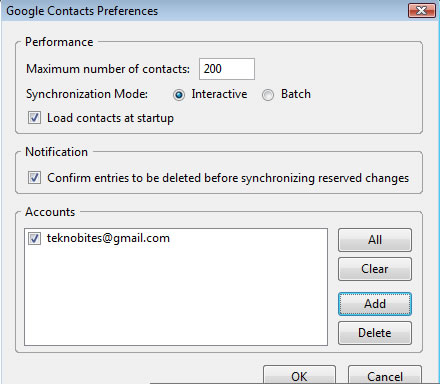
Google Contacts is a add-on for popular email client Thunderbird that allows to sync Gmail contacts with Thunderbird. This is a quite useful addon if you use both Gmail and Thunderbird, i for one who uses both of them.
Download the addon and save it to disk, now open Thunderbird and go to Tools > Addons and install Google Contacts. It will ask you to enter number to download contacts, if you have hundreds of contact it may not download at once. It can detect the Gmail contacts already setup in Thunderbird. [Via Lifehacker]
Subscribe
Free News Letter
-
-
Recent Posts
- Chrome for Android beta launches with Bookmarks Sync, Incognito Mode
- Samsung Galaxy S III to be just 7mm thick, launch in May
- German Federal Agency recommends Google Chrome
- Dropbox offers 5GB of free space to beta testers
- Skype 5.8 for Windows brings Full-HD video calling, Group Screen Sharing
- Google using a Bouncer to keep malware out of Android Market
- Windows Phone 8 ‘Apollo’ comes with Windows 8, Skype and SkyDrive integration
- Manage Passwords and Personal Info with Dashlane
- Google Docs Android App now lets you view files offline
- Firefox 10 released with developer tools and full-screen API
