OpenWith.org is a useful desktop app that helps to open unknown file types you may encounter. The program gives you details about the file type and can automatically download a free program which can open the file.
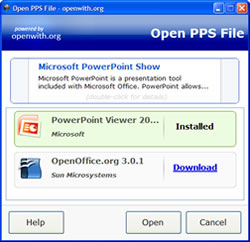
It adds a context menu link to right click in Windows after installing tha app. Just right click the file, and select “”How do I open this” and the OpenWith.org recommends one or more free programs available to open the file. Select the program you want to download and it will automatically download it.
OpenWith.org website has a long list of file extensions and free programs categorized accordingly. The OpenWith.org filetype pages provide description of the file type along with similar file extensions.
OpenWith.org is a freeware for Windows OS.


I attempted to run a downloaded video and received the following error message:
No suitable decoder module:
VLC does not support the audio or video format “WVP2”. Unfortunately there is no way you can fix this.
I tried to find format WVP2 in the “Open With” site but is was not listed. Any suggestions? Thank you, Scott