Device Remover is a powerful device manager and an alternative to the in-built Windows device manager. It has some powerful features compared to the default device manager of Windows, you can see a detailed view all the devices, drivers and services of the system.
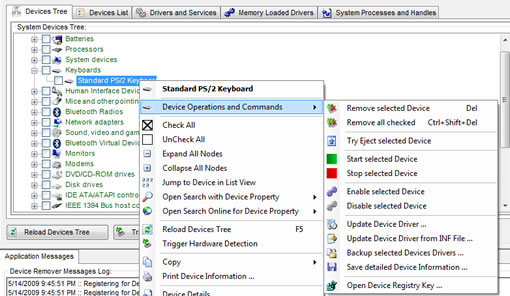
Device Remover is a powerful device manager for Windows
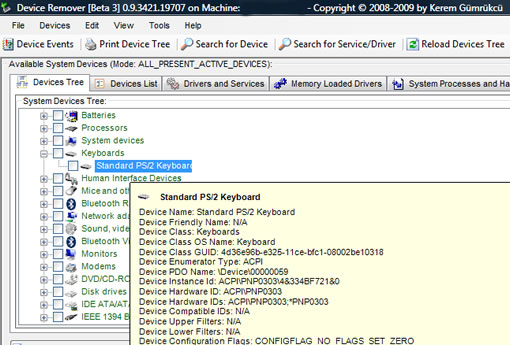
Install the application and run, it will load all the devices, drivers and services in tabs. Hovering mouse on the entries will display information about the device, or service. Right-clicking with the mouse displays the options to perform different tasks, you can remove, start, stop, enable and disable the device. You can update the selected device’s drivers, backup drivers, or save the detailed information about the device.
Features:
- In-Depth view of all installed Devices, Device Classes, Drivers and Services on a Windows System (Hidden, Detached, Current installed, Problematic Devices,etc,…)
- Easy mass removal of multiple Devices On-The-Fly
- Modification/Manipulation of Devices, Drivers and Services on the System
- Live detailed View of Device Detections on the System
- Multiple Device Problem solving Features and Functions
Device Remover is a freeware for Windows, works with Windows 200O to Windows 7, requires .NET Framework.


[…] via TeknobitesSHARETHIS.addEntry({ title: “”, url: “http://www.thewindowsfix.com/811/” }); […]