Microsoft released a useful tool aimed at netbook users who wants to upgrade to Windows 7. Netbooks came with Windows XP before and often they lack a DVD drive, with this tool users can create a bootable USB drive or DVD.
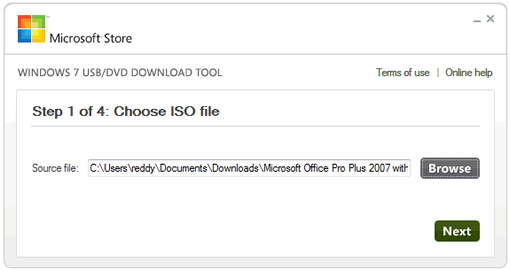
The tool is useful if you have downloaded a copy of Windows 7 from Microsoft Store. Install the tool, and open, it will ask you for the location of the ISO file. Once you selected the file, select whether USB drive or DVD you are going to use. Once you are done with the installation you can use the USB drive or DVD you created for installing Windows 7.
If you are going to boot from USB drive you may need to change the boot order in BIOS to be able to boot from USB otherwise it will just boot from the hard drive.
System Requirements
- Windows XP SP2, Windows Vista, or Windows 7 (32-bit or 64-bit)
- Pentium 233-megahertz (MHz) processor or faster (300 MHz is recommended)
- 50MB of free space on your hard drive
- DVD-R drive or 4GB removable USB flash drive
Download Windows 7 USB/DVD Download Tool

