Google Docs is a useful tool for most of the users who don’t need full featured Office suite like Microsoft Office. It also provides a good means of accessing files from multiple computers. Google Docs added a new feature that allows users who want to download all their files to their system as a backup or to completely move away from Google “cloud†services.
Google Docs now allows you to convert, zip and download all your files from Google servers. To access the feature go to All items view in the sidebar. Now select the files you want to download as a zip file. Now go to “More Actions†drop down menu and select Export.
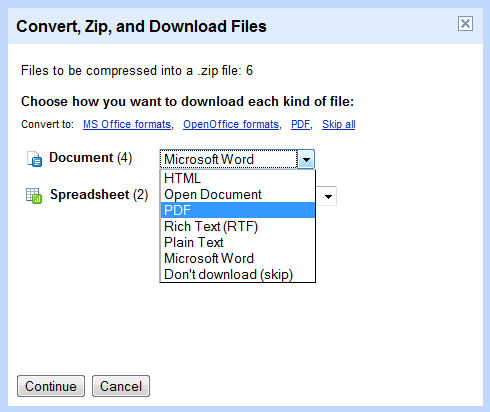
You can select the format for the output file you are downloading, suppose for example you want to download all your documents as PDF files, you can select PDF from the drop down list. Same goes for other file formats like spreadsheets, presentations etc.
Documents can be converted to HTML, Open Office format, MS Word, PDF, RTF or Plain text and spreadsheets can be converted to PDF, MS Excel and Open Office Spreadsheet format.
After selecting the conversion format click continue, it will zip all those files and downloads the zip file automatically.

