Windows 8 has a new set of cursors which provide Windows 8 a more metroish look. Everyone liked the new cursor and if you are one of those who liked the new cursor look but do not like Windows 8 and hence are not ready to switch to it, then you are at the right place.
Well, we show you here a detailed step-by-step tutorial on how you can get the new and beautiful Windows 8 cursors on your Windows 7 PC. You just need to follow the mentioned steps and you will have the new cursor look on your Windows 7 PC.
1. First of all you’ll need to have access to a system installed with Windows 8 Release preview. Then navigate to C:/Windows/Cursors and search for aero. Here copy all the files which start with name aero_
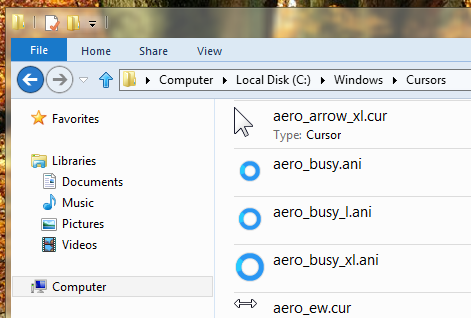
2. Now paste those files to the C:/Windows7/Cursors/New folder your Windows 7 PC.
3. Now, go to the Control Panel and open Mouse. From Mouse Properties, navigate to the Pointers’ tab and under Scheme select (none).
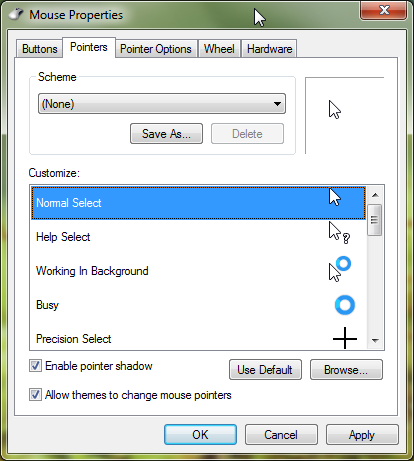
4. Under Customize you’ll see a list with all the different pointers, now just select each one, click Browse and select the files from C:/Windows/Cursors/New Folder. For instance, select aero_normal file for Normal select pointer. Similarly you need to do it manually for every pointer type.
5. Once you are done with it, just select Apply and hit Ok.
That’s it. Now you have the new Windows 8 cursor scheme on your Windows 7 PC.

I was kind of hoping to see a downloadable cursor pack here…