Since the official launch of Windows 8 Consumer Preview one thing most users are complaining is the lack of start button or start menu in Windows 8. While there are ways to access start menu features users still prefer that Start Orb on Windows. Classic Shell is originally created to bring back start menu we see in Windows XP to Windows Vista and Windows 7. The new iteration of the program brings back the start menu in Windows 8 along with other features.
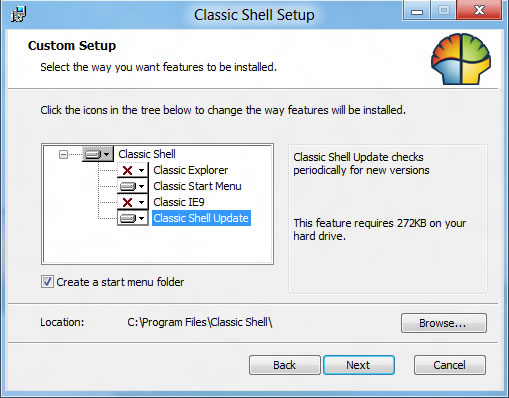
While installing the app pay attention as it comes with other plugins, Classic IE9 and Classic Explorer, If you don’t want these features you can disable them so that they won’t be installed. Classic Explorer plugin adds a toolbar to Windows Explorer with buttons for basic functions like copy/paste, delete etc. Classic IE9 is a plugin for Classic shell, that adds missing caption to the title bar so you can see the page title while browsing. It also shows security zone and the progress bar (page loading) in the status bar.
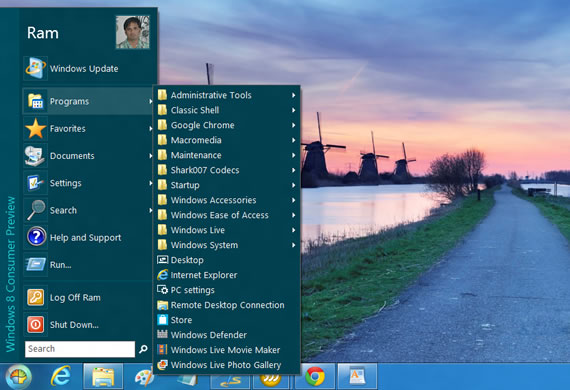
After installation it adds the start button Orb. You can customize the start menu by opening the classic shell settings, right click on start button and select settings.
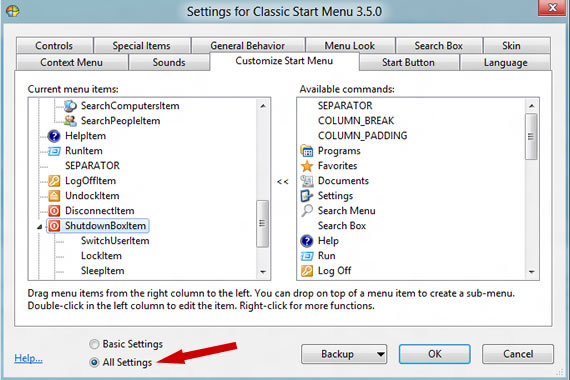
In the settings you can customize to a great deal, in basic settings you can customize the mouse clicks and what options to show in the start menu. If you want more control you can select all settings from the bottom pane, here you can customize almost everything starting from the start button itself.
Download Classic Shell, Project Page

