Google Drive files can now be added as attachments in Gmail, Google announced the feature today. The new feature allows users to send Google Drive files as attachments in Gmail so that recipients have the copy of file they have sent, even if you delete the original file, they will have a copy of it. This feature is useful if you share your photos or files on Google Drive.
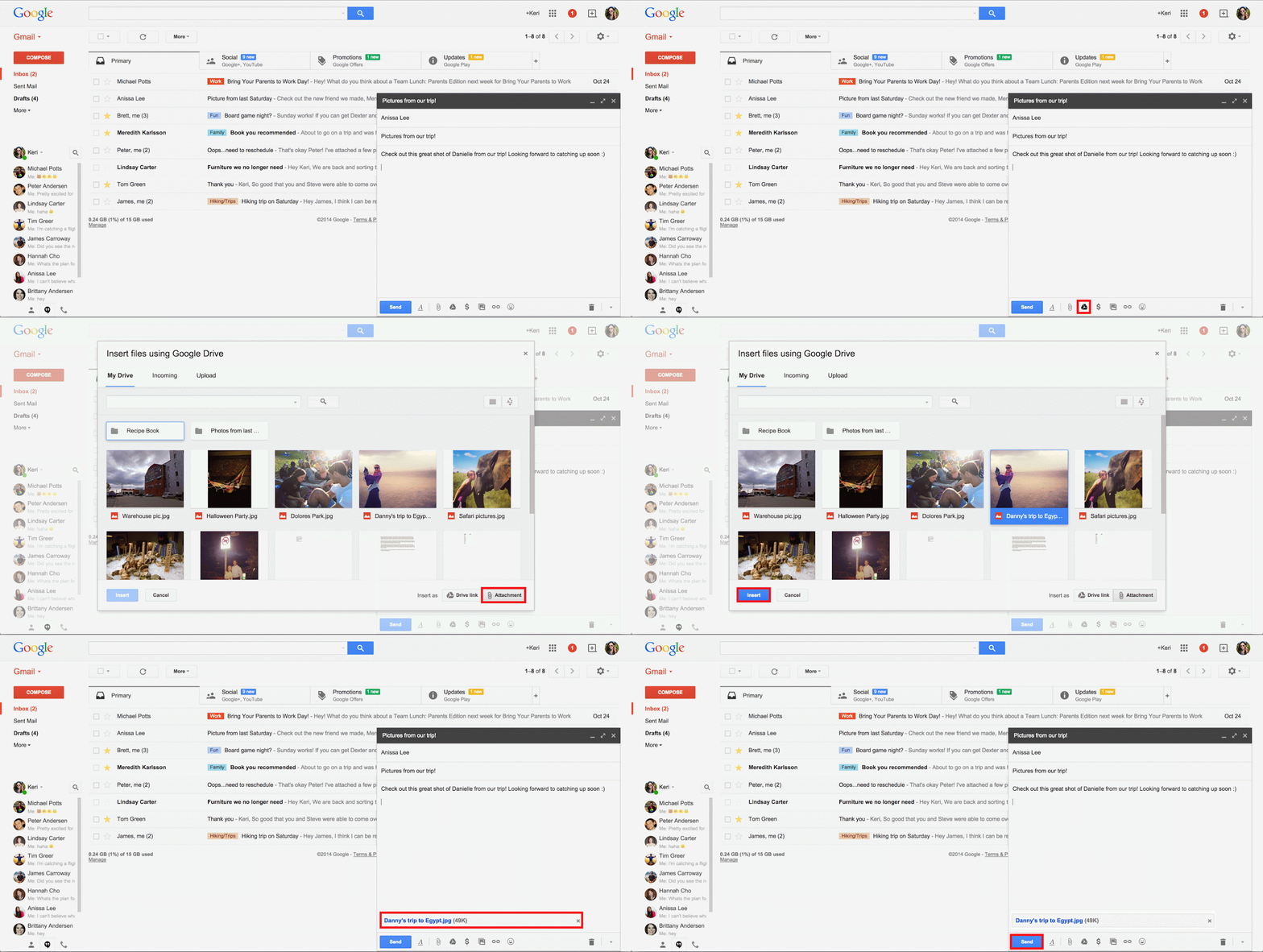
To add a file click on Google Drive button while composing a message, select a file and select “insert as attachment” at the bottom of the windows pane. This feature will only works with non-Google files, that files that are not converted to Google’s formats.
By selecting the “Insert as Attachment” option from Drive you’ll be able to attach non-Google files directly to your Gmail message.
Now you can be sure your friend will always have that great candid photo from your weekend getaway, or the PDF for your aunt’s fruitcake recipe (do people actually eat Fruitcake?) even if you delete it from your Drive. ?
Google has updated Drive apps for iOS and Android with new features. In iOS users can upload content to Google Drive from other apps also, this is an interesting and useful feature. On both Android and iOS users will now will be able to access and share custom maps made using Google My Maps. The iOS app is already available on the Appstore.
Android app will be rolled out in the next week according to Google, this will include a new feature where you can use voice search to search for files in Google Drive. For example, you could say “OK, Google — search for holiday letter on Drive” to get to your files without opening the app and typing keywords.
Via Google Drive, Gmail

