Next time you curse the world for software that don’t work as you want them to be, check out AlternativeTo. AlternativeTo brings a new approach to finding alternatives to applications on different platforms whether Windows, Mac, Linux or web based apps.
There are thousands of applications and software out there. And chances are, you only know about a  handful of them. Most of them may be better than the ones you currently use, or would come at a more affordable price. AlternativeTo solves this problems for many from a single, easy to use interface that finds better, or equivalent alternatives to applications for any platform you use.
The site is categorized into categories like Windows, Mac, Linux and Online. Within each category you can look for applications for the corresponding platform. When looking for alternatives, you can also filter your search by the type of license the applications carry, such as free or commercial.
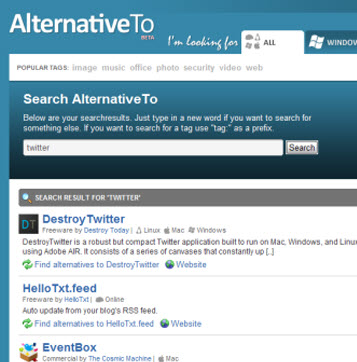
You can perform searches for applications and its alternatives will then be displayed. Apart from platforms, each application, whether a software or a web app, is given tags for better navigation. A small introduction accompanies each application with a link to its website. Another column on the site filters updates from twitter mentioning the particular application, so you can know in real time what people are talking about that service in real time.
AlternativeTo is a free service and you can sign in with your facebook account or an openid. On signing up, you can rate applications and suggest new alternatives to any application.
The application lists includes both Linux and Online application, roping in all kinds of users from the ones who prefer proprietary software to the ones who like free and open source apps. On the other hand, web applications need only a browser to run, and that’s another advantage for them, apart from ease when it comes to mobility.
Related: 40+ Free Windows Apps For You, 20 Open Source Windows Apps For You
