Technology Bites

  • Home
  • Tech
    • Software
    • Browsers
    • Google
    • Internet
    • Windows
  • Mobile
    • Android
    • Apple
    • Windows Phone
  • Products
    • Phones
    • Tablets
  • TIP US
You are here: Home / Tech News / Box.net Integrates iPaper Technology

Box.net Integrates iPaper Technology

Yesterday i wrote about iPaper technology from Scribd, a new format for web documents. Today Online storage provider Box.net integrated the iPaper technology to Box.net services. That means now you can preview the files like Powerpoint, word, excel spreadsheets and PDFs before downloading to your computer.
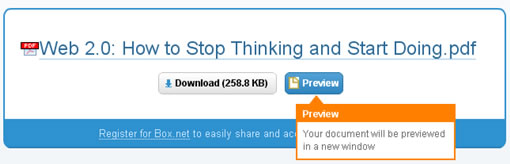
box.net ipaper

This is ideal for Box.net users who just want to view without making any edits to the actual files to view in a convenient format.

“This functionality is enabled by default for Box.net users on all supported file formats, you can disable this features from services tab in your account.”

Since iPaper is a convenient format for web documents we may see more publishers or service providers adopting to iPaper format in the near future.

Share this:

  • Tweet

Related

About Ram

I am a blogger and Technology Enthusiast. I write about software, tech news, gadgets. You can reach me at ram@teknobites.com, follow me on Google+ or on Twitter

« Download Rapidshare, Megaupload files with RapGet
Windows Live SkyDrive Now Offers 5GB Storage, Leaves Beta »

Top Posts

  • Delicious Add-on Final Version for Firefox 3
  • Samsung I8800 RedWood Tizen smartphone appears in benchmark results
  • Apple buyback scheme on iPhone 5C and iPhone 4S, offers minimum Rs. 13,000 for your old smartphone
  • Compare: Gionee Elife E7 vs Google Nexus 5
  • The New iPad is official with 4G LTE, Retina Display and A5X Quad-Core Processor
  • Maluuba, Voice activated personal assistant now available for Windows Phone 8
  • Tools for embedding Flickr Slideshows
  • Top 10 Android phones in India below Rs10,000
  • Windows 8 Blue to Bring Back Start Button and Boot to Desktop
  • About

About Us · Archive · Disclaimer & Privacy Policy · TIP US · Copyright © 2026 · Technology Bites