Technology Bites

  • Home
  • Tech
    • Software
    • Browsers
    • Google
    • Internet
    • Windows
  • Mobile
    • Android
    • Apple
    • Windows Phone
  • Products
    • Phones
    • Tablets
  • TIP US
You are here: Home / Tech News / Frengly: Free Translation Service

Frengly: Free Translation Service

Frengly is a free translation service that is based on Google Ajax Language API. I don’t know why people wants to use Frengly instead of Google translate itself, the only advantage of using Frengly over Google translate or Live translator is it auto detects the text language you input in to the box.

Frengly is simple to use, just paste the text you to translate in the text box and click the language to get translation, it auto detects the language and translates. The translation is fast and since it is based on Google translate the results are same. You can quickly access all your translations using “Your Translations” link in the top menu

One possible use for this app is, when you want to translate text in unknown language to your language. Google translate doesn’t support language detection yet, although API has a class for that.
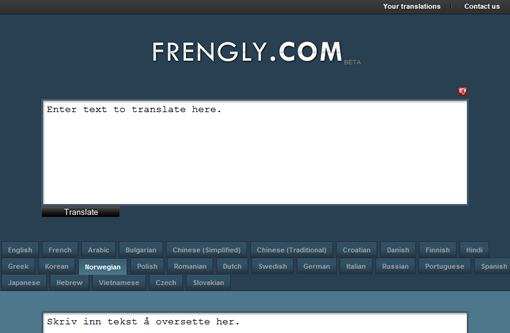
Frengly Translate Text

Share this:

  • Tweet

Related

About Ram

I am a blogger and Technology Enthusiast. I write about software, tech news, gadgets. You can reach me at ram@teknobites.com, follow me on Google+ or on Twitter

« Update from Gmail team on security
How to setup multiple HTML signatures in Gmail »

Top Posts

  • Sony Walkman Player for Android Ice Cream Sandwich and Jelly Bean
  • How to Flash Ubuntu Touch Developer Preview on Galaxy Nexus, Nexus 4, 7, 10
  • How to root Verizon Galaxy S4 SCH-i545
  • Cyanogenmod ROM: Overview and Features
  • Sony announces PlayStation 4 with Social Features, Specs
  • Fake Windows 8 - A Must Have Android App for Windows 8 Lovers
  • Play Last.fm music tracks for free
  • BugMeNot Firefox Add-On
  • Opera 9.6 Released
  • HTC Desire VC available in India at Rs. 21,999

About Us · Archive · Disclaimer & Privacy Policy · TIP US · Copyright © 2026 · Technology Bites