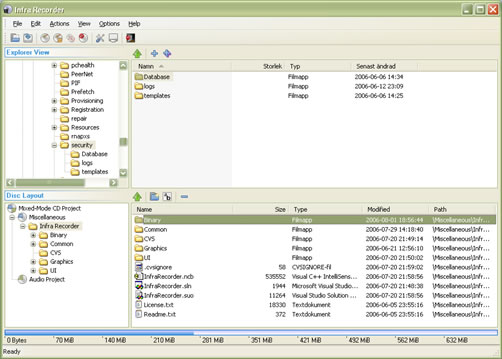
InfraRecorder is a free alternative to the CD/DVD burning sofwtare for Windows. It is open source application released under GPL license.
InfraRecorder has all the basic features necessary for CD/DVD burning. The GUI is simple and usable, itegrated windows explorer for easy navigation. MP3 burning plugin is not integrated because of copyright issues in some countries, you can download this plugin from the download page.
Features:
- Create custom data, audio and mixed-mode projects and record them to physical discs as well as disc images.
- Supports recording to dual-layer DVDs.
- Blank (erase) rewritable discs using four different methods.
- Record disc images (ISO and BIN/CUE).
- Fixate discs (write lead-out information to prevent further data from being added to the disc).
- Scan the SCSI/IDE bus for devices and collect information about their capabilities.
- Create disc copies, on the fly and using a temporary disc image.
- Import session data from multi-session discs and add more sessions to them.
- Display disc information.
- Save audio and data tracks to files (.wav, .wma, .ogg, .mp3 and .iso).
IrfanRecorder Home page, Download


Download free cd burning dvd burning photo editing home inspection softwares and check free virus scan using best antivirus softwares.
I would like to know what do I have to modify in security settings because a user that belongs to “Power Users” Group is not able to write data to the DVD-R.
To be exact, the DVD-R icon inside the InfraRecorder can not be selected.
On C-Program Files-InfraRecorder, the rights are “full” for “everyone” (including subfiles & folders) & on Start-Programs-InfraRecorder the rights are also “full” for “everyone” (including subfiles & folders).
I can’t seem to find anything in Registry, so what setting am I missing?
Thanks.