Nonsfw is a firefox add-on that helps you to avoid opening NSFW (Not safe for work) links in office computers. The service relies on users, when you visit a NSFW site you can make it mark as NSFW, so that it will show the warning next time when some one hovers that link.
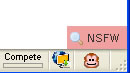 When you hover on an external link it checks for that link if it is marked as NSFW by users, if it is marked as NSFW it will show a small message in the bottom right of your browser, for safe for work sites it shows SFW and for no rated for not yet rated sites. Since the service is new it may not always pickup NSFW but it is a nice idea which can save embrassing situations in office. Via Lifehacker


The basis on which its checks the link is not too convincing, what if the user marks a useful site a NSFW.