Technology Bites

  • Home
  • Tech
    • Software
    • Browsers
    • Google
    • Internet
    • Windows
  • Mobile
    • Android
    • Apple
    • Windows Phone
  • Products
    • Phones
    • Tablets
  • TIP US
You are here: Home / Software / PdfMeNot converts PDF files to Flash

PdfMeNot converts PDF files to Flash

You already know opening PDF files in browser is a bit of hassle, and they take ages to load in browser. PdfMeNot is a new service from the creators of BugMeNot that will convert PDF files to Flash.

PdfMeNot allows you to convert PDFs by URL, Upload, Bookmarklet or by including a script in your web pages. The easiest and more simple way is to drag the Javascript Bookmarklet and click that bookmarklet whenever you are on a page with links to PDF files.

PdfMeNot is in private beta until Thursday but you enter if you want to check it out with username: stateless and password: system.

After converting a PDF file to Flash you can bookmark it with the link URL or embed in your site as a Flash object. Source: Read/WriteWeb
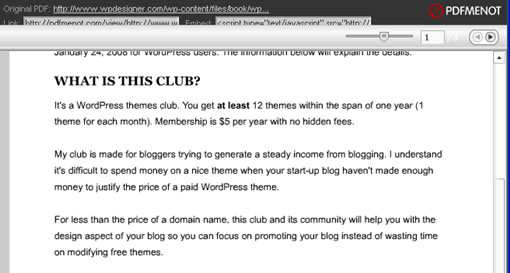
pdfmenot

Share this:

  • Tweet

Related

About Ram

I am a blogger and Technology Enthusiast. I write about software, tech news, gadgets. You can reach me at ram@teknobites.com, follow me on Google+ or on Twitter

« Learn about a blog’s readers in one click with Blog Juice
Decrypt Your Copy Protected DVDs With DVD43 »

Comments

  1. Jonathon says

    Correct me if I am wrong, but I think it saves you time for the next time you open that file. Once you convert it you can just open it as a flash, which should save you load time. Am I on the right track at least?

  2. Jonathon says

    @Ram
    Gotcha! I think I am going to have to try that out then. Thanks

  3. Nirmal says

    Do we really need to convert files to Flash, I feel PDF can be viewed in decent amount of time.

  4. Ram says

    @Nirmal
    I get your point, it is just a preference.
    @Jonathon
    When you see any pdf file link you click first bookmarklet and then click the pdf link, it will automatically be converted. So you will save time and that browser hang

Top Posts

  • DSP Manager: The Best Equalizer app for Android
  • How to Sync MS Office documents with Google Docs
  • How to Flash Ubuntu Touch Developer Preview on Galaxy Nexus, Nexus 4, 7, 10
  • Circle Dock: Application Launcher
  • HTC Launches One X and One V Smartphones in India
  • Instagram for Android Available, Download Now
  • Disclaimer & Privacy Policy
  • Microsoft India Store Hack might have exposed Credit Card Information
  • HTC announces Desire V and Desire VC dual-SIM Android ICS phones
  • Windows 8: Port 80 in use by System, Apache error

About Us · Archive · Disclaimer & Privacy Policy · TIP US · Copyright © 2026 · Technology Bites