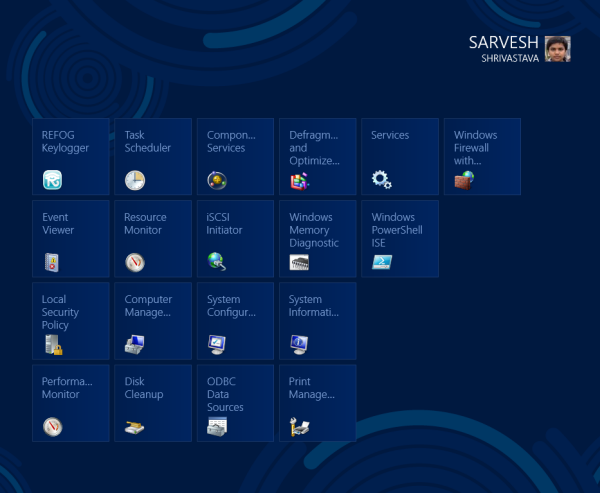
Windows 8, the upcoming version of Windows includes the all new Start screen with Metro interface. Instead of the previous Start menu, Microsoft has introduced a new Start screen which acts as a dashboard for launching apps.
Windows 8 start screen not only allows the user to pin metro apps and frequently pinned websites but it also offers an option of pinning all the Administrative tools on your start screen. This feature is generally very helpful for IT pros and advanced users who want full control of their PC.
Wondering how to do this? Well, the process is fairly easy and simple. In this post I will provide a quick tutorial for that.
Just follow these steps to pin administrative tools to your start screen:
1. Take your mouse to the upper right corner to access the Charms bar.
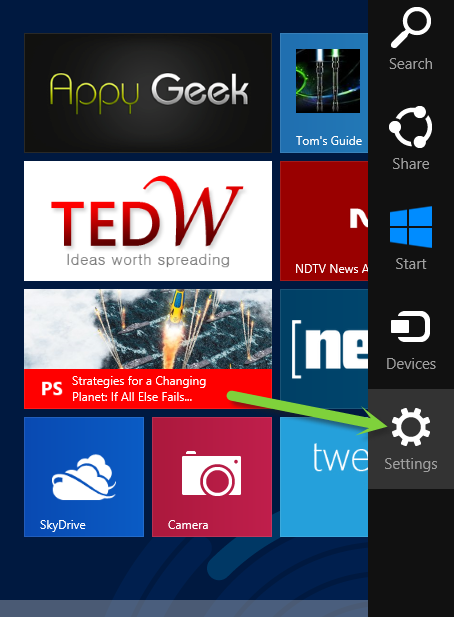
2. Here switch to the Settings charm and select Tiles option.
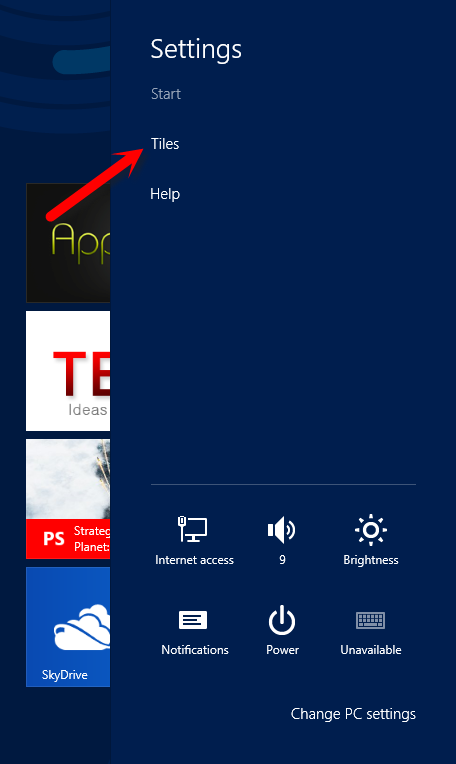
3. When you select the Tiles option, you will be prompted with another menu. Here you will find an option to Show Administrative Tools on your start screen with a slider.
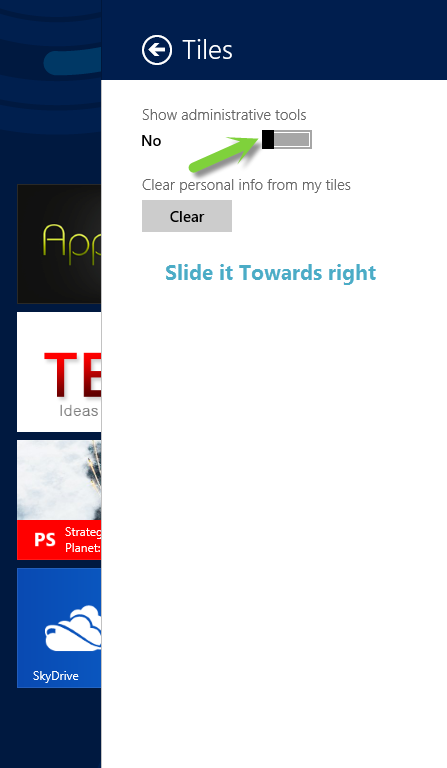
4. By default the slider will be on the left side with NO highlighted. All you need to do is to slide the slider towards right untill the NO option turns to Yes.
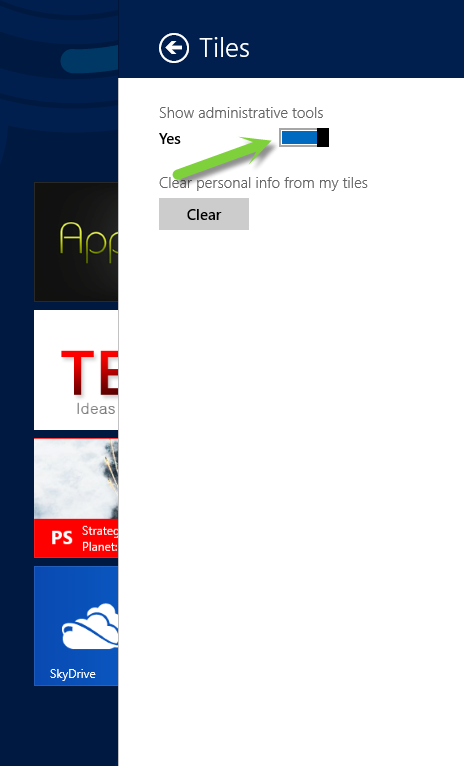
That’s it. Administrative tools will start showing on your start screen.