There are several tools and techniques companies use to keep spam messages from reaching your inbox. Spammers on the other hand will keep on sending messages using weaknesses in anti-spam techniques employed by companies.
No one technique of anti-spam has a complete solution, Sometime legitimate mails can be flagged as spam messages, and some time spam messages will end up in a users inbox as legitimate message.
Gmail has one of the best anti-spam filters when it comes to web mail filtering for spam messages. But occasionally some messages might end up in spam box. I usually check once in a while my gmail spam folder if not daily to make sure any important mail is not flagged as spam by Gmail. Spam messages are stored in Gmail for 30 days, after that period they are deleted.
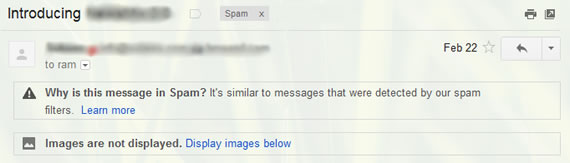
Till now Gmail didn’t’ show anything related to why a message is sent to spam, but from today onwards Gmail will show a message to user on top of each message of your spam messages. Open any message in your spam folder and you can see why that message ended up there, clicking on learn more link will give more information about any potentially harmful content within the message. For example in the above image, Gmail shows “It’s similar to messages that were detected by our spam filters.”
Source: Gmail Blog

