
Google is testing a new program that will help web publishers to monetize their sites. The new program called Contributor will allow site visitors to pay a small subscription fee to participating websites to get rid of ads on their sites. Users who pay a monthly fee of $ 1 to $3 will not see Google ... Read More →
Nokia Z launcher now available through Google Play

Nokia has released an interesting Android home screen replacement earlier this year called Z Launcher, at that time it is only available as an APK download. Now the Z Launcher is available officially from Google Play that means any one can try the launcher. The Z Launcher is a home screen ... Read More →
Nokia unveils “N1” an Android tablet with Lollipop inside for $249
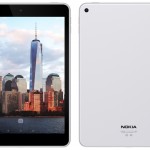
Nokia is back into the hardware device business after it sold its devices business to Microsoft. Nokia has announced an Android tablet named Nokia N1 with Lollipop inside, the tablet is priced at $249. Nokia has teases yesterday on Twitter that they are “up to something” and that turns out to be ... Read More →
GoIbibo.com where is my money?, your Customer Service Sucks
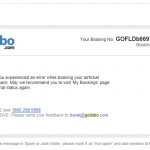
I am having a worst flight booking experience with GoIbibo.com. In short we tried to book flight tickets on 26th September late night due to an urgency. One transaction on Goibibo failed and my credit card charged for the amount of Rs 24,654. Due to an emergency we didn’t check that, I realized the ... Read More →
Micromax Canvas Nitro A310 with Octa-Core processor launched for Rs 12,990
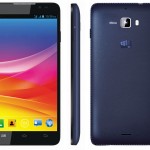
Micromax has launched an octa-core processor powered smartphone in its Canvas line of smartphones, the new phone called Canvas Nitro is priced at Rs 12,990. At this price range it is going to compete with the newly launched Moto G (2nd Gen), which is available from Flipkart at Rs 12999. Micromax ... Read More →
Micromax launches two Windows Phone devices, Canvas W121 and Canvas W092
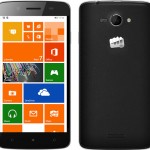
Micromax has introduced two Windows phone devices in India, called Canvas W121 and Canvas 092. These are the first Windows Phones from Micromax and we are expecting more in this line. Micromax has announced earlier that they are launching Windows Phone devices in the Indian market, till now Micromax ... Read More →
Moto E on slae at Flipkart for Rs 6999
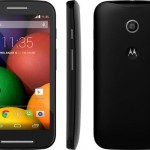
If you are gadget freak you might already know that Moto E is on sale in India. Flipkart is selling this smartphone exclusively for the moment like its predecessors Moto G and Moto X. Motorola has priced the Moto E at just Rs. 6999, which is really great considering the hardware inside. Motorola is ... Read More →
Galaxy Tab S to come with fingerprint scanner and AMOLED Display
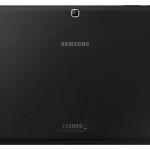
Samsung will launch a new tablet series in the near future with the name Galaxy Tab S according to reports. The Galaxy Tab S is different from the existing Samsung Tab portfolio in that it will be a high end tablet with beefed up specs, Samsung is launching the tablet to complement the Galaxy S ... Read More →
Apple Ex-CEO Sculley backed smartphone brand Obi Mobiles launched in India

John Sculley is the Ex-CEO of Apple who is famous for firing Steve Jobs in the early days of Apple. He is backing a smartphone brand, several reports claimed earlier and the brand is called Obi. Obi Mobiles has launched its operations in India according to a report. The Obi Mobiles is headed by Ajay ... Read More →
Dropbox brings Mailbox app to Android

Mailbox is a popular iOS app, it generated so much hype when it launched that nearly a million people lined up as a wait list to get the app. Dropbox eventually acquired the app, it remained as iOS exclusive till now, but things are changing now as it is getting released for other platforms. Dropbox ... Read More →
- « Previous Page
- 1
- …
- 5
- 6
- 7
- 8
- 9
- …
- 254
- Next Page »