Because of different protection schemes it is not possible to copy DVD movies to hard drive to play in other devices. DVD43 is freeware for windows that helps you to decrypt most of the DVD protection schemes. DVD43 runs in the background and decrypts DVDs on the fly.
Download the application and install it, once installed it sits in your system tray (yellow smiley). Now insert any DVD you want to remove copy protection, DVD43 automatically recognizes the DVD and turns to green face, that means it supports the decryption.
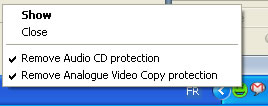 This is not a DVD ripper, it just runs in the background and decrypts the DVD, that means you need a software that can rip the DVD to your hard drive.
Handbrake is another freeware some of you may already know which can rip the DVDs. Handbrake works well for ripping DVDs to formats supporting iPod/iPhone, PS3 …
For decrypting DVDs insert the DVD wait until the DVD43 turns green, then open Handbrake and start ripping. Note: If Handbrake shows error here, just wait for a min until it recognizes the decrypting process.
DVD43, Handbrake, Thanks Rick Broida


I was looking for a the software which can copy protected DVD. This is surely gonna help me out as its a freeware too. I will give it a try .. thanks for sharing this
I too will give it a try, I have a few ones to decrypt.
Me watch movies alot….so I wanted to copy all of them. But they are copy protected. The application above ….don’t work It booted me out…any other way to download it…thanks
me again…I still haven’t figured out how to download the software … will you give me some advice please
@Nelson
go to DVD43 page there is a download link, download the software and install it. Open Handbrake and copy the DVD, the software will work in the background.
see the last paragraph if it doesn’t work
will you please reply
I downloaded dvd43 on my new computer and says it is not compatible with windows vista 64bit. I have always used it on windows xp. What do I do?
You have to wait a long time for it to recognize the decryption, not a minute or two like it says…
am trying to use DVD43. Can someone give me a simple description of how to use this software. I mean simple and line by line.
Thanks
what do you do if you have windows vista 64 bit operating system and dvd43 does not work on 64 bit mssage pops up?
I also would like to know if and how you could use dvd 43 on hp with 64 bites
When you decrypt a DVD, does it permanently remove the encryption from the DVD? I rent DVDs, and I didn’t know if doing this would permanently remove the encryption (which the place I rent from might check for, and then see that I removed it).
Thanks.
Great idea, really lousy implementation. Why would I want yet another background task starting up when my computer boots (making that take even longer!), running when I’m not even thinking about ripping DVDs (consuming resources), and hooking into low-level system functionality (which won’t make Windows MORE stable, that’s for sure)?
This should be a small, lightweight app that you start when you want to rip DVDs and stop when you’re done.
how can i use dvd 43 on my comp wiht windows vista 64 bit
DVD43 doesn’t run with 64 bit Win. It says so on their site.