 PicStreem is a desktop app from the DocSyncer team for sharing photos easily. DocSyncer is an app for syncing office docs with Google Docs, it was shutdown and now the team has launched PicStreem.
Sharing photos with friends is all you want it is one of the simplest and efficient ways to share. After installing the PicStreem application login to the app, it will run in the background and stays in the system tray. if you are using it first time it will take atleast 30 mins to index all the photos of your computer.
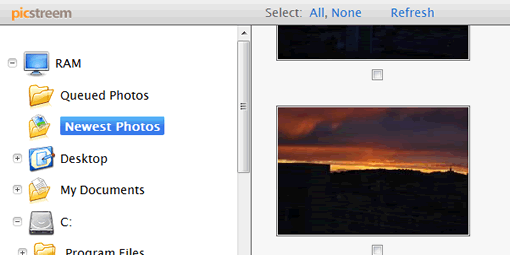
Click the icon from the system tray and it will open as a webpage, here you will see all your system folders containing photos on the sidebar. Select a folder it it will show thumbnails of the photos, now you can select the photos you want and click share button. It will upload the photos to PicStreem servers, you can see the photos you are sharing from the “Queued Photos†folder on the sidebar. Enter the email addresses with whom you want to share photos. They will receive an email with a unique URL for the pictures you are sharing.
PicStreem is simple and basic application for sharing photos, you don’t need to apply photos to other sites, it will upload in the background and sends the email once it finished. PicStreem is currently in private beta, you can request an invite if you want to try the app. PicStreem is available as s desktop for Windows only now but Mac version will come soon according to the site.
Picstreem is deadpooled.

