Technology Bites

  • Home
  • Tech
    • Software
    • Browsers
    • Google
    • Internet
    • Windows
  • Mobile
    • Android
    • Apple
    • Windows Phone
  • Products
    • Phones
    • Tablets
  • TIP US
You are here: Home / Google / How to try Google’s new search interface

How to try Google’s new search interface

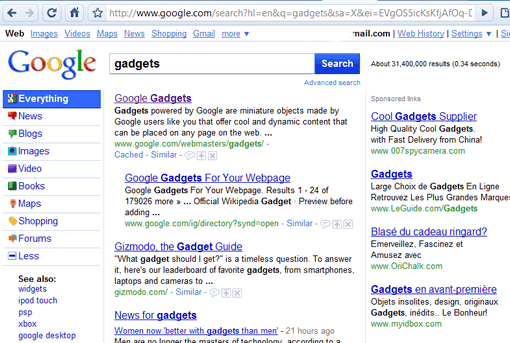
Google is testing a new search interface, the new look is not visible to everyone, but only for some users. The new look is with a new Google logo, colorful buttons and a permanently featured sidebar, something similar to Bing. The sidebar allows to narrow down the search to News, Blogs, Images, Video, Maps etc.

If you want to try the new search look for yourself Blogoscoped has published a Javascript trick. Go to Google.com and then paste the javascript code in the address bar of the browser and hit enter. Now reload the page you will see the new Google.com look with colored buttons. If it doesn’t work you may need to logout of Google and try again.
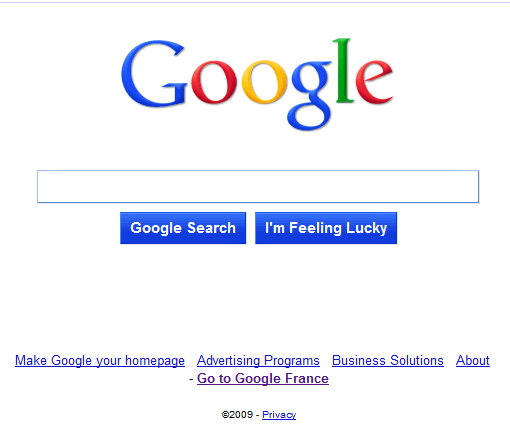
google-new-look

google-search-ui

Share this:

  • Tweet

Related

About Ram

I am a blogger and Technology Enthusiast. I write about software, tech news, gadgets. You can reach me at ram@teknobites.com, follow me on Google+ or on Twitter

« Google Profiles now work as OpenIDs
Google Phone Rumors »

Comments

  1. Stephan says

    Doesn’t seem to work.

Top Posts

  • Fake Windows 8 - A Must Have Android App for Windows 8 Lovers
  • Wikia Search Launches
  • Turn Your Blog into an iPhone App with AppLoop
  • Google to launch Chrome Operating System
  • Compare: Karbonn Titanium Octane Plus vs Micromax Canvas Knight vs Gionee Elife E7 mini
  • Internet Explorer 10 preview
  • Blackberry Curve 9320 available in India for Rs 15499
  • Microsoft launches Skype Lite for India, optimized for slow connections
  • Blogged: Human Edited Blog Directory
  • LG Gx launched in Korea with 5.5-inch screen, Snapdragon 600

About Us · Archive · Disclaimer & Privacy Policy · TIP US · Copyright © 2026 · Technology Bites


Loading Comments...