Vista Start Menu is a freeware for windows NT operating systems that serves as a alternative to default windows start menu. Vista Start Menu offers several features and customizations over default windows start menu.
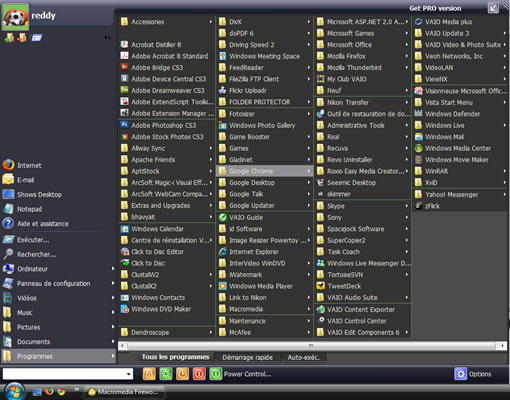
Vista Start Menu organizes the programs in a easy to remember interface, surfing frequently used directories is easier with this app. You can customize the menu fully with your own arrangement.
It gives fast access to shutdown, logoff, reboot etc by placing the buttons on the menu, you can set hotkeys for these functions for quick access. The bottom bar of the app contains search bar for searching of the files, you can select the search engine to use, Microsoft Desktop Search or Google Desktop. Ctrl + Enter will do the web search and Alt+ Enter is to see all local search results.
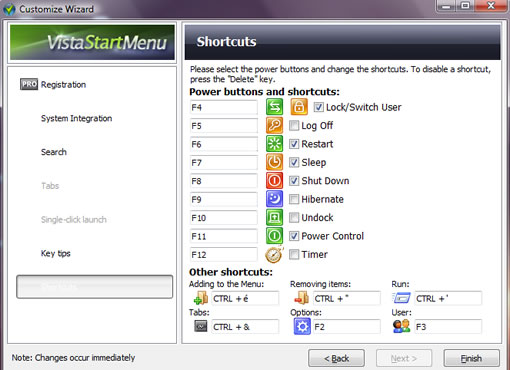
You can leave your current start menu intact and launch vista start menu from tray icon. By default the program starts with windows, you can change this behavior from settings.
Vista Start Menu is a good option if you want more customization for your start menu and prefer to use hot keys for easier access. Default Windows Vista Start menu is good, install this only if you need extra features. But this is a good alternative for other Windows start menus like Windows XP, 2000 etc. There is also a Pro version of the app if you want more features.

