Technology Bites

  • Home
  • Tech
    • Software
    • Browsers
    • Google
    • Internet
    • Windows
  • Mobile
    • Android
    • Apple
    • Windows Phone
  • Products
    • Phones
    • Tablets
  • TIP US
You are here: Home / Tech News / ShifD: Take Notes on Web, Desktop and Mobile Phones

ShifD: Take Notes on Web, Desktop and Mobile Phones

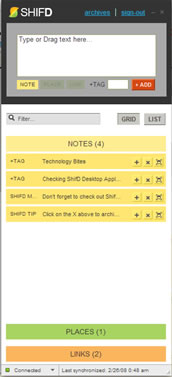
shifd desktop appNew York Times Launched a note taking application called ShifD for desktop, browser and mobile phone. ShifD allows users to shift notes, links and addresses between desktops and mobile devices.

You can access ShifD through web interface or through browser bookmarklet or using a desktop application on top of Adobe AIR.

While you are on a web page you can just click on browser bookmarklet to save that link to your ShifD account.

Desktop App is also easy to use and similar to web interface. You can also access your ShifD account from your mobile phone, there is an mobile phone optimized web page for the mobile phones.

You can add tags to your notes or links to track or filter them easily. I like it’s simple interface, just nothing but what needed to take notes.

Share this:

  • Tweet

Related

About Ram

I am a blogger and Technology Enthusiast. I write about software, tech news, gadgets. You can reach me at ram@teknobites.com, follow me on Google+ or on Twitter

« Now You Can Go Invisible On Gmail Chat
Yahoo Buzz Launched »

Trackbacks

  1. 15 Useful Adobe AIR Applications says:
    October 30, 2009 at 3:38 pm

    […] (earlier review) ShifD allows users to shift notes, links and addresses between desktops and mobile devices. You […]

Top Posts

  • Download Microsoft Office 2013 Offline Installer
  • DSP Manager: The Best Equalizer app for Android
  • Gmail Free Storage Bumped to 10GB
  • Huawei Ascend P6 Official, Quad Core, Android 4.2, 6.18mm Thick
  • MagToo: Create 360 degree Panorama Shows Online
  • Sony Mobile to phase out feature phones in India
  • Report: Android KitKat will focus on low-end smartphones, wearable tech and smart TVs
  • Xolo to launch 4G smartphone with Airtel
  • Compare: Gionee Elife E7 vs Google Nexus 5
  • Noozy Audio Player with NoozXoide EIZO-rewire - A better audio experience on Android

About Us · Archive · Disclaimer & Privacy Policy · TIP US · Copyright © 2025 · Technology Bites