Surveys are a great marketing tool for getting feedback on various things. Now creating surveys got easier with Google Spreadsheets, no need of surveymonkeys.
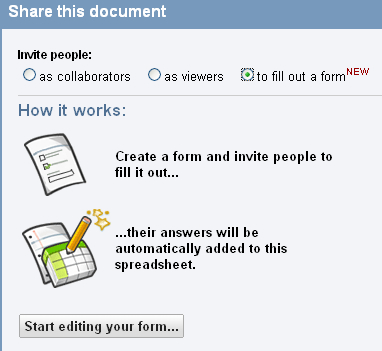
Google Docs blog announced this feature today. To create form click on “share” button on any Google spreadsheet, here select the option “to fill out a form”. Now you can start creating your form. You can Multiple choices, text, choose from a list, paragraph text and check boxes for options. It’s a breeze to create forms.
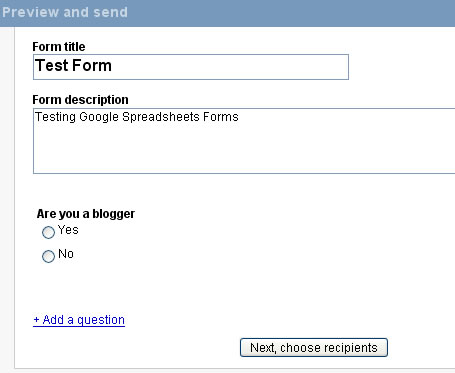
Once you are done creating your form share it with others, you can invite people to fill the survey form or send the URL. The responses are collected to your spreadsheet and you can view the responses immediately.
Google docs form gadget is available for iGoogle if you wish to track the responses. This gadget lists your recent active forms, with new responses highlighted.
How the form looks like
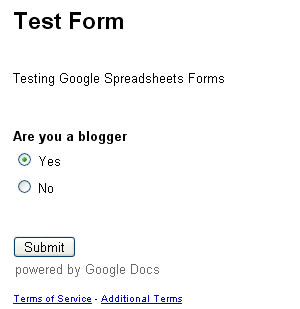
So next time you want feedback for your new product or blog or for your new blog design, remember Google Docs is there to help you. Source: Google Docs Blog


Now this is a great news for me. It will definitely going to help me in collecting data, and filling questioners, After all i am a MBA student 😉
@Vaibhav
It is quite useful for getting feedback
hi
i am unable to get this feature on google , can anybody help me with this
@Kavita
Open a new spreadsheet or existing one and then click share button. Now you will see “to fill out a form option”. select that to create form
This is a great tool for me and my customers, no more expensive software, hahaha, well done Google.
Hi
I was so excited about this ,but the videos from google and awebber dont match up. I can’t find the tab that says to invite people ‘to fill out a form’ ANYWHERE. And no page with the link on it to put in the broadcast. Can someone help???? I have been working hours and hours.
Thanks
So i’ve done both form, but i don’t know if they are attached and have no link
This is really a support question..I’ll look to see if you have one.
Linda,
I am just perusing but this article is over 2 years old. Google is always refining and changing. Use the help under google docs or go to YouTube and look for a recent explanatory video.
How can we track whose answers they are in the report ?