Gmail has added a new filter rule “Never send it to spam”. Enabling this filter rule ensures your important email messages will never end up in Spam folder of gmail.
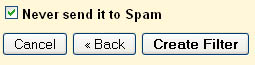 To enable it go to Filters in settings and select the criteria first like From (teknobites.com) and then in the next step enable “never send it to spam”. This is a very useful filter for saving important messages sent to spam. via Google Blogoscoped


[…] Fuente: teknobites […]