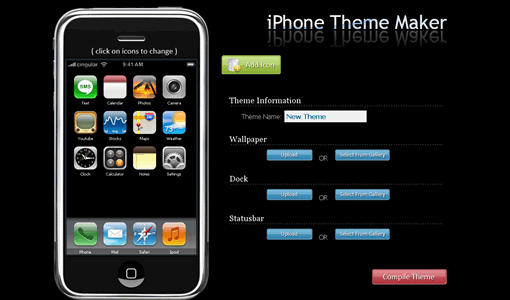
If you are looking for a cool theme for your iPhone, iPhone theme maker will help you to design that gorgeous theme for you. iPhone theme maker is a simple to use app, it provides wallpapers, dock and statusbar images to make your own iPhone theme.
To get started point your browser to iphone theme maker site, it allows you to add icons, wallpapers, dock and statusbar images. You can upload your own images or use the ones already there in the gallery. It gives you the preview after changing each element. When you are satisfied with your editing click compile theme. You can download the theme package as .Zip, .pxl installer package. After creating the theme it will generate a theme key which is useful if you want to update your theme later.
Remember it is giving server errors some time, so if you get the error re do the theme and try again to get your theme package.


[…] see iPhone Theme Maker for creating cool themes for your iPhone. See how to create ringtones for other mobile phones. If […]