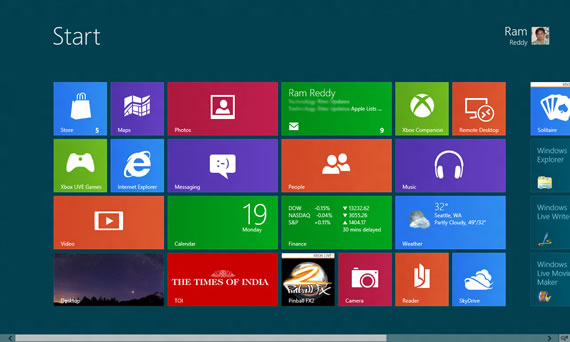
Microsoft has released Windows 8 Release Preview, you can download the OS to test yourself. Windows 8 release Preview means that the software is almost ready to the final build and all the features have made it to the latest build. This release is the final version of the Windows 8 beta program that is released to the public.
This is the next release after Windows 8 Consumer Preview that is released in February. This final pre-release includes Internet Explorer 10, new windows 8 apps for hotmail, SkyDrive, messenger and much more. You can download the Windows 8 Release Preview from Microsoft, it’s free.
Download links:
You have two options to download Windows 8 release preview. Downloading the setup assistant from Microsoft and use it to install Windows 8 on your existing installation or upgrade from supported installation.
The other option is to download ISO files, and install Windows 8, you can use dual-boot setup to install Windows 8 with Windows 7 or install in a virtual machine.
Download Windows 8, English 32-bit (x86) ISO
Download Windows 8, English 64-bit (x64) ISO
You can create a bootable USB using the Windows 8 ISO file for installing the OS.
System Requirements:
These are the System requirements to run Windows 8 Release Preview according to Microsoft.
- Processor: 1 gigahertz (GHz) or faster
- RAM: 1 gigabyte (GB) (32-bit) or 2 GB (64-bit)
- Hard disk space: 16 GB (32-bit) or 20 GB (64-bit)
- Graphics card: Microsoft DirectX 9 graphics device with WDDM driver
You need multitouch screen to use some of the touch features of Windows 8.
Via MSDN Blogs


[…] unveils Windows 8 Tablets at Computex Posted on June 4, 2012 by Ram With the release preview and just four months to go for the final release of the Windows 8 OS, the rush of Windows 8 tablets […]