Launchy: Keystroke Launcher for Windows

Published at May 10, 2007   Filed Under Software, Tweaks    

feedIf you're new here, you may want to subscribe to my RSS feed or Email alerts. Thanks for visiting!

Launchy is a small application which transforms which will help you in opening your computer programs in a few strokes. With Launchy installed you can forget start menu, desktop icons etc, Launchy will do all the work for you.

For opening any program you can just type a few letters it will show you the matches, then press enter. If you have lot of programs starting with a name like Google, Google Talk, Updater etc, it will show you a drop down list of those programs, you can select one and press enter.
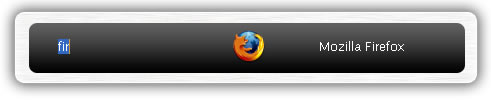
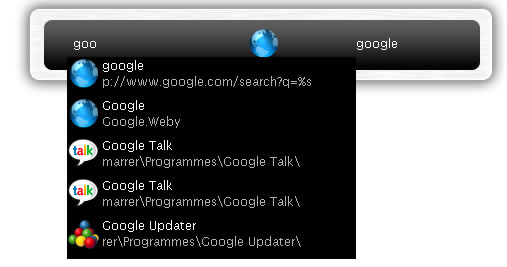
How to use it

  • By default launchy sits in the background, to use it hit ALT+Space Bar, once it appears start typing the program name you want to use and then press enter.
  • Search Google: Type in google, then tab, then your search query and press enter
  • Search other sites: Other sites you can search include wikipedia, msn, yahoo, amazon, netflix, imdb, and more.
  • Browse your computer: Type in c:, then tab, then a folder or file, hit tab, and continue
  • The Launchy Calculator: Did you know that Launchy has a built in calculator? Type in some algebra and see what happens!
  • Index your Bookmarks & Folders: Directory: C:\Documents and Settings\user\Favorites
    File Type: .url
  • Index your Music: Directory: My Documents
    File Types: .mp3 .aac .ogg
  • Index your Pictures: Directory: My Documents
    File Types: .jpg .gif .bmp
  • Index your Documents: Directory: My Documents
    File Types: .doc .pdf .xls .ppt
  • You can download the application from sourceforge.net, Thanks Jeff

    If you liked this post, feel free to subscribe to my RSS feed