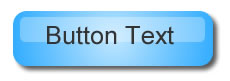
Few days back i wrote on how to create web 2.0 logo with Fireworks, today i will show you how to create web 2.0 buttons with fireworks.
Open new fireworks document and set the canvas to 400 x 400 pixels and 72 dpi. set the canvas color to white.
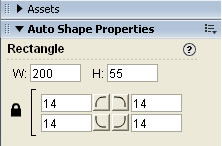
Draw a rounded rectangle, width 200, height 55 and corners 14. You can change roundness by changing the corners parameter.
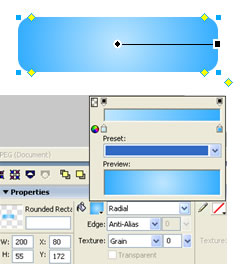
Set the rectangle color as gradient and select radial gradient, colors i am using here are #BFE6FF and #35AEFF
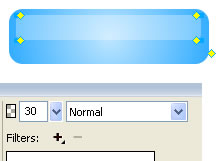
Draw a second rectangle with dimensions width 185 and height 25, set the color as solid and white. From the properties panel select the transparency as 30.
Select the large rectangle and apply drop shadow filter.
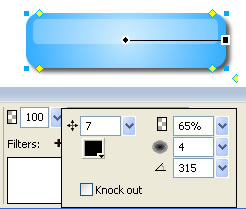
Type button text, now your web 2.0 button is ready.


please can you tell how to trim the edges
of a rounded retantangle, so that a get a perfect
label or if i want a circle label how do you get
a perfect label. i have tried – modify and trim
but it does not work
@Sayed
Hey i didn’t understand what you mean, you can increase roundness of the rectangle using Rectangle roundness property. If you want circle label select circle instead of rectangle. If you want some help don’t hesitate to ask here or mail me.
Thanks for your reply. I wanted to create different shapes i.e circle, buttons rounded
retangles, but the canvas/stage of firworks is rectangle, so when I create a circle shape in a rectangle stage I have corners of stage to get rid off othwise the circle shape and the stage/canvas (which has four edges)in fireworks will show up. Please help and thanks a lot
for your help.
nice tutorial. Keep up the good work.
Great stuff! I had spent 2 hours trying to figure this out in Fireworks myself…
Your tutorial got me the result I wanted in 15 minutes!
Any advice as to how to make it a 2 or 3 state button so that clicking on the button or hovering over it changes its appearance?
@craig
you are welcome. instead of 2 or 3 state button you can use different buttons for this purpose with CSS. 2 or 3 state buttons use Javascript which is not good if you want search engines to index your button links.