Mebeam allows you to create chat rooms with built in audio and video features. All this is done via mebeam website and you don’t have to register or download anything.
 It is a great place if you want to chat with audio and video with friends. You give a unique name at Mebeam site and invite your friends to the room, you can chat with audio and video for free. Once you enter the room it will ask you to give permission to Flash player to access your Micro phone and webcam for audio and video.
How to do video conferencing with Gtalk
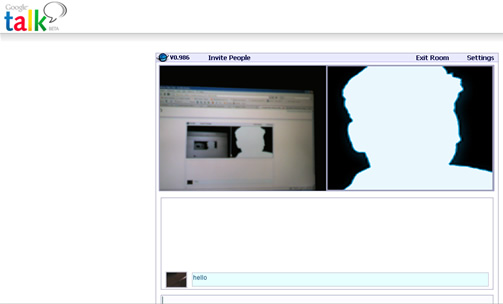
If you use Gtalk or any Jabber client you can start video conference while chatting with your friends over Gtalk. Install this Gtalk plugin for mebeam, after installing right click while you are in Gtalk chat, you will see a link Invite to Mebeam. Your friends and you will receive a link in Gtalk chat window, click that link your video chat room is ready to be connected.

Connect your webcam and micro phones to get started. Here you can send messages, invite more people to your video conference.


There is really so much cool stuff going on with online video conferencing these days. I use http://oovoo.com to keep in touch with my buddies that no longer live in the area. It lets up to six of us get on at once and the fact that it is free makes it perfect for us.
It’s really incredible how easy it is to stay in touch these days.
Online video conferencing is really incredible. My friends and I use http://www.oovoo.com to keep in touch since it lets six of us video chat at once and is free.
It’s really incredible how easy it is to stay in touch these days.
I have done multiway video conferences in the past on the MBP 2.16GHz, but now only see the “single camera” icon. I wonder if this changed in the 10.4.7 update or one of the security updates since.