“Sendto Flickr” is a freeware for windows that makes it easy to upload photos to Flickr. It adds a shortcut to “Send To” context menu (right click mouse).
I use normally Flickr Uploader from Flickr to upload photos to Flickr, but if you are looking for a simple solution to upload photos to Flickr “Sendto Flickr” comes in handy.
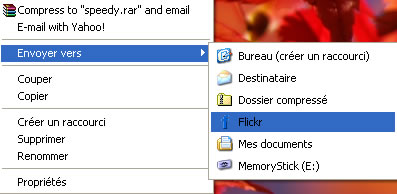
After installing the app right click any image you want to upload and go to “send to” menu, you will see a flickr link. Click the Flickr link to upload the image, it also supports batch upload, you just have to select a bunch of images you want to upload and then right click to send them to Flickr.
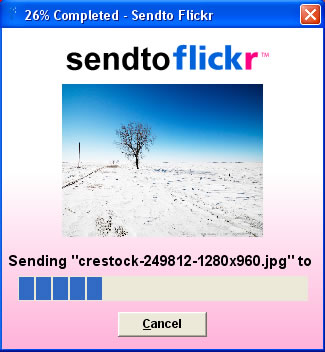
What is missing in this freeware is the ability to add sets and tags to images while uploading.
Download Sendto Flickr, Source: Freewaregenius, Related: Flickr Uploader


hi,
i read your blog for a long, time,
your blog is good,
i will thanks you if u let me translate some of your post to persian and put them in my blog,
Hi,
On the same idea I have created a Web site and a Firefow extension to send online pictures to a Picasa Web album : http://www.musiic.net/picasa/
It can be useful 🙂
Victor
@Reza
I will talk to you later
@Victor
Thanks for the information, looks interesting. I will look at it.
Nowadaya I’m not using Flickr because of the restrictions for free account. But this is a good utility.