Technology Bites

  • Home
  • Tech
    • Software
    • Browsers
    • Google
    • Internet
    • Windows
  • Mobile
    • Android
    • Apple
    • Windows Phone
  • Products
    • Phones
    • Tablets
  • TIP US
You are here: Home / Google / Upload and Share PDF Files with Google Docs

Upload and Share PDF Files with Google Docs

Now you can upload, preview and share PDF files using Google Docs. Editing of the PDF files is not yet there, but you can copy & paste text from them.

This is the most requested feature for Google Docs, PDF support will be liked by most of the Google Docs users as this is the popular format for sharing documents with others.

To upload a pdf click on upload and select PDF file from your computer or provide a web url to upload. Maximum file size you can upload is 10MB from your computer and 2MB from web.
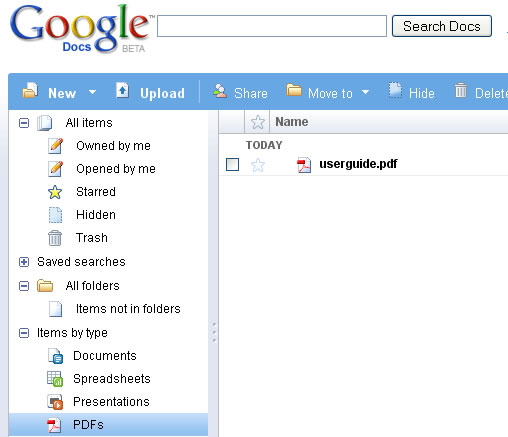
Google Docs PDF Support

Share this:

  • Tweet

Related

About Ram

I am a blogger and Technology Enthusiast. I write about software, tech news, gadgets. You can reach me at ram@teknobites.com, follow me on Google+ or on Twitter

« SugarSync: File Syncing Across Multiple Devices (3 Accounts Giveaway)
Firebug for Firefox 3 »

Top Posts

  • Fake Windows 8 - A Must Have Android App for Windows 8 Lovers
  • Facebook update brings Instagram, Tumblr, Pinterest and Flickr content to home screen
  • Accessibility Clickjacking Android Malware impacts 500 million Android devices
  • 20 Open Source Windows Apps For You
  • Updating.me Allows You to Update All Your Micro-Blogging Services
  • Yahoo new home page
  • Olive Telecom Launched Android based 3G tablet in India
  • HTC Android 4.0 update timeline
  • Samsung Galaxy Chat announced, Android 4.0, QWERTY Keyboard
  • Optimize Tool Box - The All-in-One Performance Utility for Android

About Us · Archive · Disclaimer & Privacy Policy · TIP US · Copyright © 2026 · Technology Bites