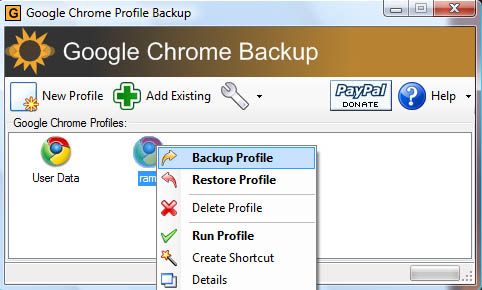
Google Chrome launch generated a lot of buzz and the slowly it is getting the much needed tools. Google Chrome backup is a tool that lets you backup your Google Chrome Profiles the easy way.
The profile holds personal details like history, bookmarks, homepages, usernames etc. These details are saved to profiles in Google Chrome much like Firefox. If you are a Windows Vista user you can find the profiles in this directory (C:\Users\(username)\AppData\Local\Google\Chrome\User Data\), you can manually backup your profiles from this directory. Google Chrome Backup makes it easier to backup, restore profile in Google Chrome.
It lets you create new profiles, just right click the “New Profile” link to create a new profile. To launch right click on the profile link you just created and select run profile. By right clicking you can backup and as well as restore profiles you backedup earlier. This tool comes in handy if there are multiple users in your computer to create profiles for others or to use personal profile to have privacy.

