YouSendIt file delivery service enables users to send and recieve large files released a downloadable plugin for Microsoft Office. The plugin allows Microsoft Office users to send large files directly from Word, Excel or Powerpoint.
The installation and usage are fairly simple, it adds a new menu item in “Send” menu if office applications. To send a document go to send and select yousendit, it will launch Express, enter your account details of YouSendIt. After signing in you can enter an optional message. A progress bar will display the progress of the upload. The upload uses resume functionality, so if you have large file to send it will be done without any problem. You can set file expiration controls and add additional files to the upload batch.
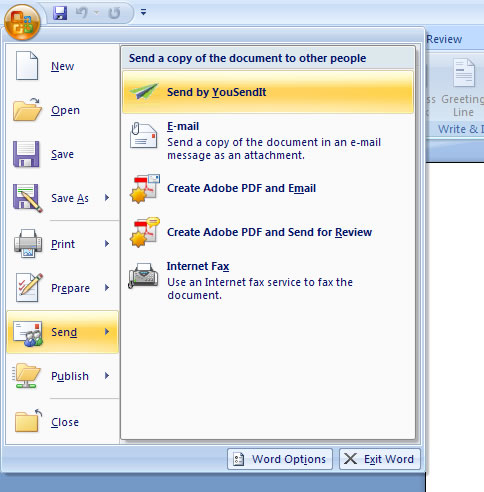
You can download the plugin from here, you need a YouSendIt account for using the plugin. It works Windows XP (SP2) or Windows Vista with Office 2003 or Office 2007.
[Via Webware]


It doesn’t mention that you need to be on a paid service to use this feature. 2large2email (http://www.2large2email.com/) offers a free plan allowing up to 100mb per file in size to be transfered online. Do check them out!