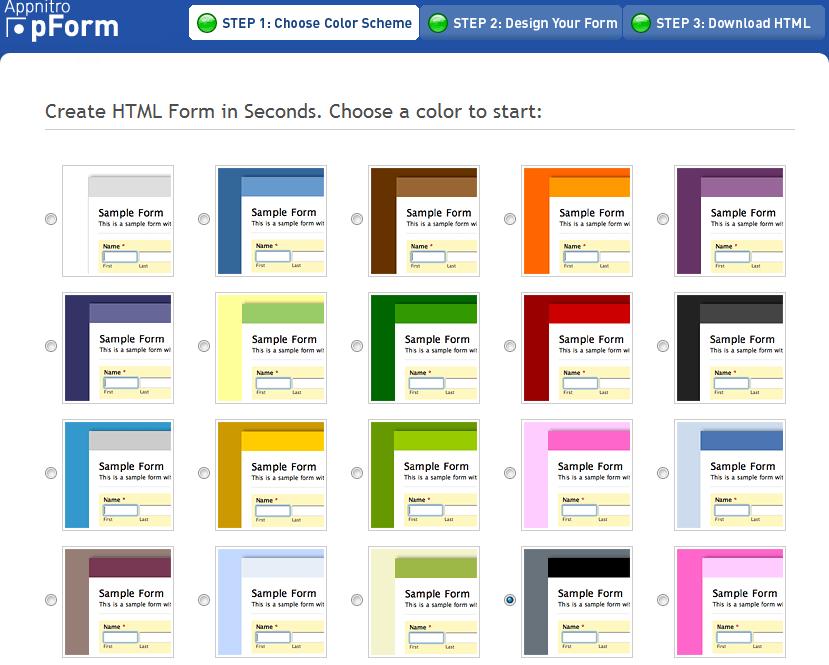
pform is a web service which enables you to create free HTML web form templates online. Just choose a color scheme, design your form and download the HTML – three simple steps, its that easy. To get started, select a color scheme and click on the ‘Next’ button. This will lead to the second step, where you can create your form, add the relevant fields and form properties.
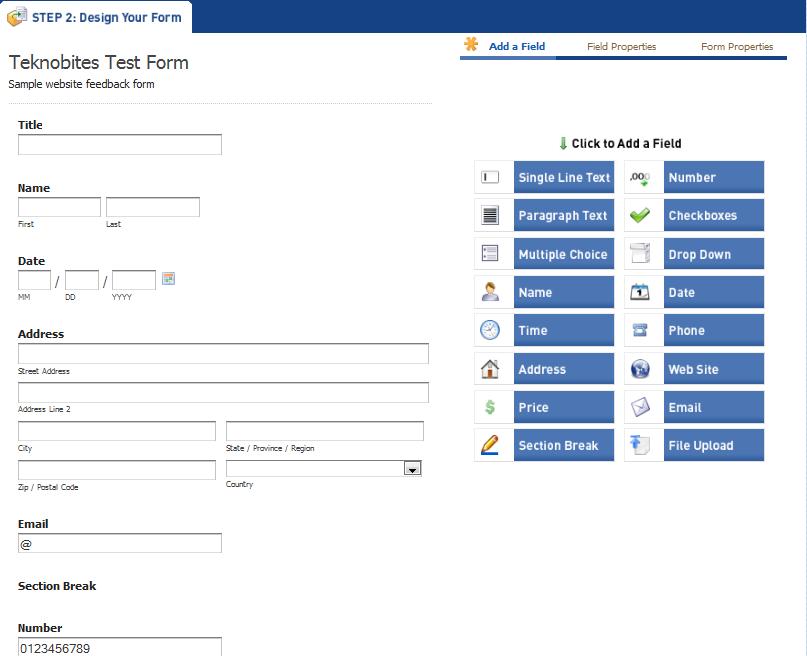
It provides you with an easy to use interface. You can add multiple fields to your HTML form by clicking on the fields available on the sidebar. The available field types include drop down, text, multiple choice, single line text, check boxes etc., Once you select the required fields, you can edit the field properties, labels and guidelines for the user.
It also provides you with an option to preview the form before downloading. You are free to build as many templates as you desire.

This form is very easy to configure and you can enable your contact us form in just few minutes. If you are using wordpress blog then you should use this form to improve your business.
I have created a form using you form builder. i have completed and downloaded it, but there is no explanation on how to convert it it into html for my website. Also how do you code the submit button to input a forwarding email
Can anyone tell how to receieve data from teh form and how to load in a website. as an idependant page