Technology Bites

  • Home
  • Tech
    • Software
    • Browsers
    • Google
    • Internet
    • Windows
  • Mobile
    • Android
    • Apple
    • Windows Phone
  • Products
    • Phones
    • Tablets
  • TIP US
You are here: Home / Tech News / Box.net Integrates iPaper Technology

Box.net Integrates iPaper Technology

Yesterday i wrote about iPaper technology from Scribd, a new format for web documents. Today Online storage provider Box.net integrated the iPaper technology to Box.net services. That means now you can preview the files like Powerpoint, word, excel spreadsheets and PDFs before downloading to your computer.
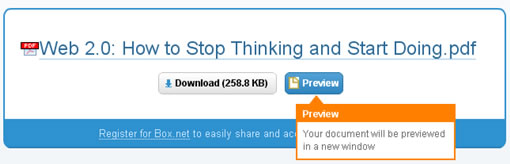
box.net ipaper

This is ideal for Box.net users who just want to view without making any edits to the actual files to view in a convenient format.

“This functionality is enabled by default for Box.net users on all supported file formats, you can disable this features from services tab in your account.”

Since iPaper is a convenient format for web documents we may see more publishers or service providers adopting to iPaper format in the near future.

Share this:

  • Tweet

Related

About Ram

I am a blogger and Technology Enthusiast. I write about software, tech news, gadgets. You can reach me at ram@teknobites.com, follow me on Google+ or on Twitter

« Download Rapidshare, Megaupload files with RapGet
Windows Live SkyDrive Now Offers 5GB Storage, Leaves Beta »

Top Posts

  • Download 10000 Free Shapes for Photoshop
  • Download Windows Embedded theme for Windows XP and 2003
  • Nested Twitter Replies Greasemonkey Script
  • MyUninstaller: Alternative to windows Add/Remove Programs applet
  • Google Analytics Upgrade: Adsense integration, data visualization and more
  • Android 4.3 update for Sony Xperia Z and Xperia ZL leaked online
  • Google Chrome 18 brings GPU acceleration WebGL improvements
  • Sony Xperia SP Available for Pre-order at Rs. 25,490
  • Recover deleted files with Pandora Recovery
  • Catalogue movies, music, books, software.. anything with Data Crow

About Us · Archive · Disclaimer & Privacy Policy · TIP US · Copyright © 2026 · Technology Bites