 From past few days i am playing with Inkscape, a open source vector graphics editor. Inkscape functionality is similar to Corel Draw, Adobe Illustrator, Freehand or Xara X, it uses Scalable Vector Graphics (SVG), an open XML-based W3C standard, as the native format.
So far i am impressed with Inkscape functionality it has. Inkscape is not as powerful as commercial software but it offers a clean and nice interface. Inkscape documents are saved in SVG format, you can also export to various formats including PNG
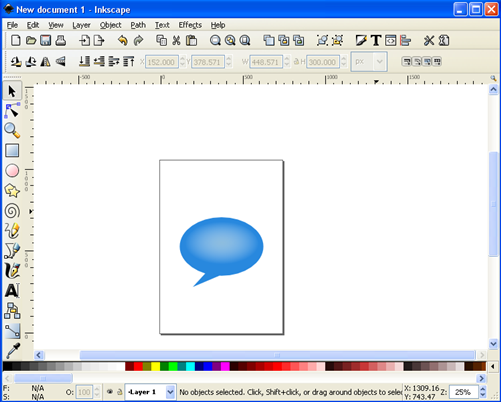
It can be used to create logos, banners, icons or web 2.0 buttons :-). The only problem is that IE don’t support native SVG format, you need to download a plugin from Adobe to see SVG graphics in IE. Modern browsers like Firefox and Opera fully supports SVG file format.
What is Vector Graphics:
“Vector graphics is a resolution-independent description of the actual shapes and objects that you see in the image. Contrast that to bitmap (raster) graphics which is always bound to a specific resolution and stores an image as a grid of pixels.” (Photoshop is a raster graphics tool)
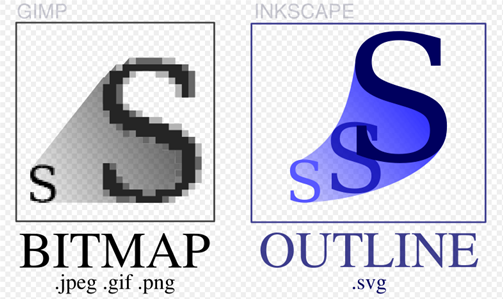
Image: Differences between bitmapped and SVG images, Credit: Wikipedia
Inkscape is open source software and is available for Windows, Mac and Linux.
Download Inkspace
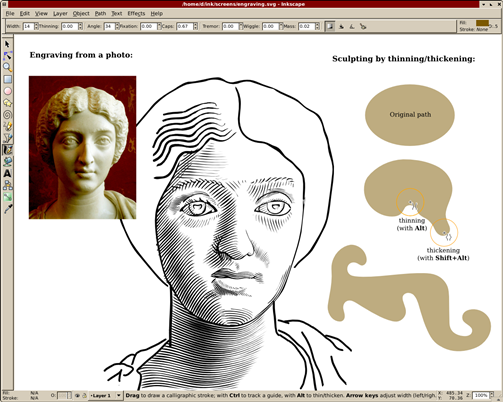
Image Credit: Inkscape


I love Inkscape. It is a great tool. I especially like the ability to convert raster graphics into vector. Also, I can’t argue with being based around an open standard. 😉
I too love Inkscape, love it more because it’s an OSS. It’s fun playing with it.
@Jake, Shankar
Thanx for commenting, i too love the features. We may expect lot of improvements in the future.
I can’t figure out how to arch text. Does anyone know an easy way to do this. I think it has something to do with putting it on a path but can’t figure it out. If anyone knows can you send me an e-mail? sandietta@aol.com
Thanks a bunch !!!
sandi