If you install lot of programs on your PC, some of them adding themselves to the windows startup list causing slow down of the windows startup. Disable startup is a free program that manages and monitors the the windows startup processes.
You can remove the programs that are unnecessary while windows startup using msconfig tool (for Vista enter msconfig in smart search) in windows, but this freeware allows you also to monitor what gets added to the startup process. This way you can control programs which are strating up with windows.
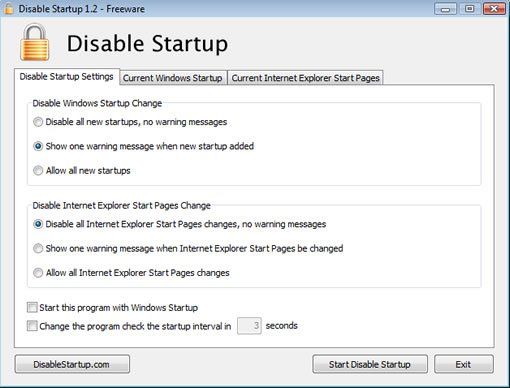
This is a tiny application and doesn’t need much space, while installing the License Agreement shows as if it is a paid program, but it is freeware. After installing you can set options like warnings to give when a new program is added to the windows stratup list or disable adding programs to startup. Disable startup works with Windows XP and Windows Vista.


[…] Visto en Technology Bites […]