Web Screen Capture is a free standalone application for taking screenshots of any webpage easily. It takes website screenshots as full sized images and saves them to your disk. It supports Jpg, BMP, PNG and GIF formats for output.
Using this app is easy just download the application, and run it, enter a web page url to get the screenshot and wait till it loads after that hit screenshot button it will save the web page as a full sized image.
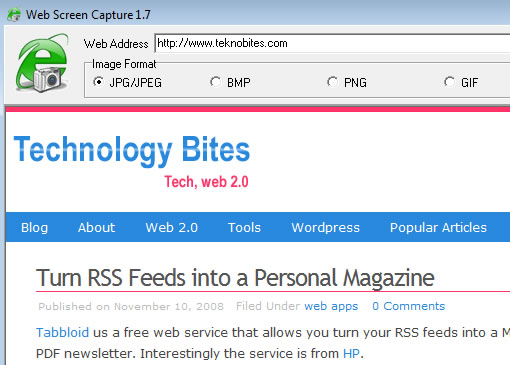
You can also run this via command line also, the command line usage is particularly useful if you want to get snapshots of multiple web pages at one go.
Command Line Usage
webscreencapture.exe [url] [image]
example for command line usage
webscreencapture.exe http://www.teknobites.com c:\teknobites.jpg
You can use command line to create batch screenshots from several web pages. To do this first create a .BAT file. You can create a .BAT file using notepad, open notepad paste something like the below commands and while saving enter file name in notepad as “batchfiles.bat” and select All Files for Save as type field. Now open this file, it will sequentially creates all the screenshot files.

Batch file example
webscreencapture.exe http://www.youtube.com/watch?v=SLyG0mUnw4A c:\1.jpg
webscreencapture.exe http://www.youtube.com/watch?v=izUxI-k01CU c:\2.jpg
webscreencapture.exe http://www.youtube.com/watch?v=h0JX5jWv-tk c:\3.jpg
webscreencapture.exe http://www.youtube.com/watch?v=TqBy1TuZURk c:\4.jpg
Via [Freeware Files]


[…] a Web Screen Capture, via Teknobytes Se hai gradito, vota questo articolo: (Vota!) Loading … Ti è piaciuto […]